The line you need, on your Lock Screen.
Gym
Coming soon to the App Store
Free forever for basic widgets and 3 of your own lines. Pro from $2.99 a month, with unlimited lines. Prices
 Quill
Gym
Free forever for basic widgets and 3 of your own lines. Pro from $2.99 a month, with unlimited lines. Prices
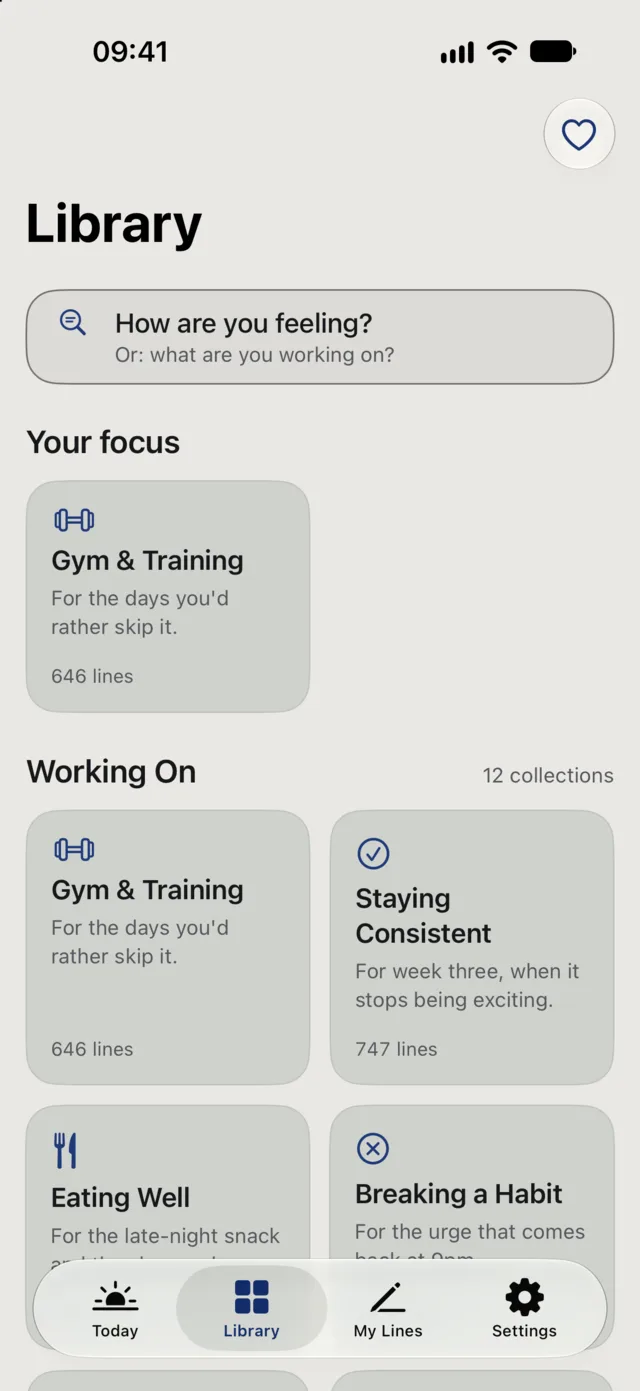
25 life moments, 17 wisdom collections and 10,000+ lines. Some are written by Quill, some are popular sayings with no name attached, and some come from Seneca, Marcus Aurelius and others, checked word for word against public-domain books.
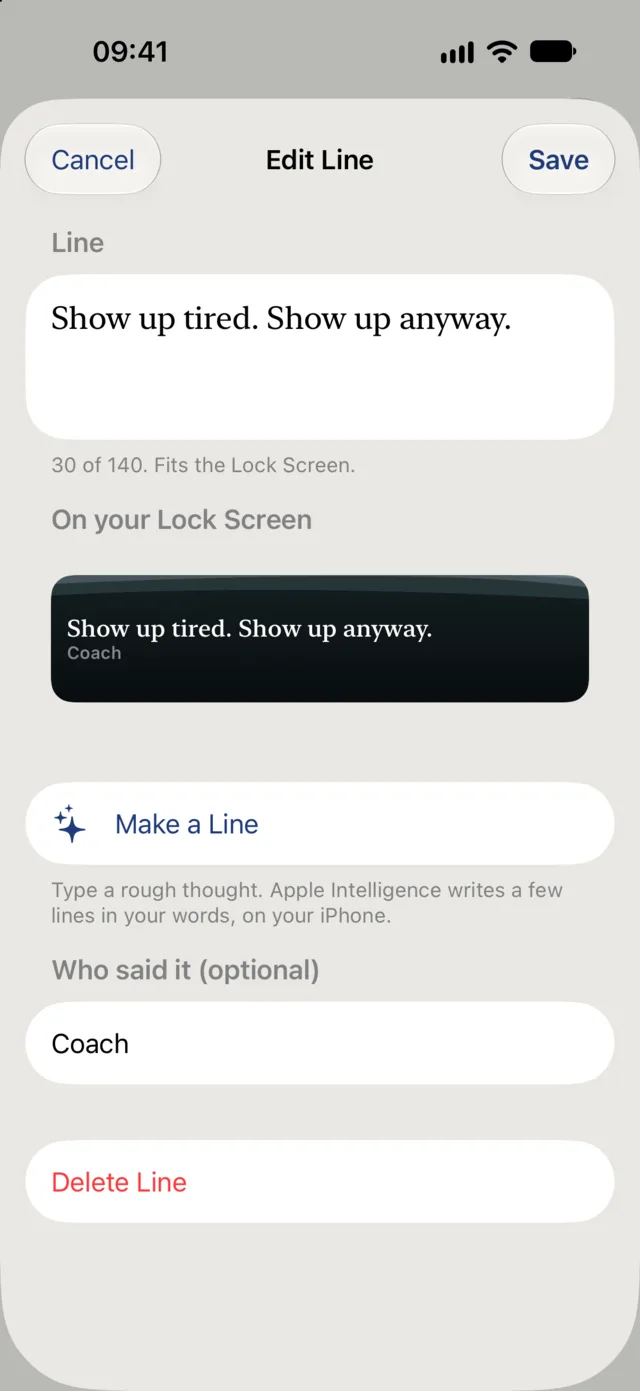
Your goal, your reason, on your Lock Screen. My Lines is free for your first three, and unlimited with Pro.
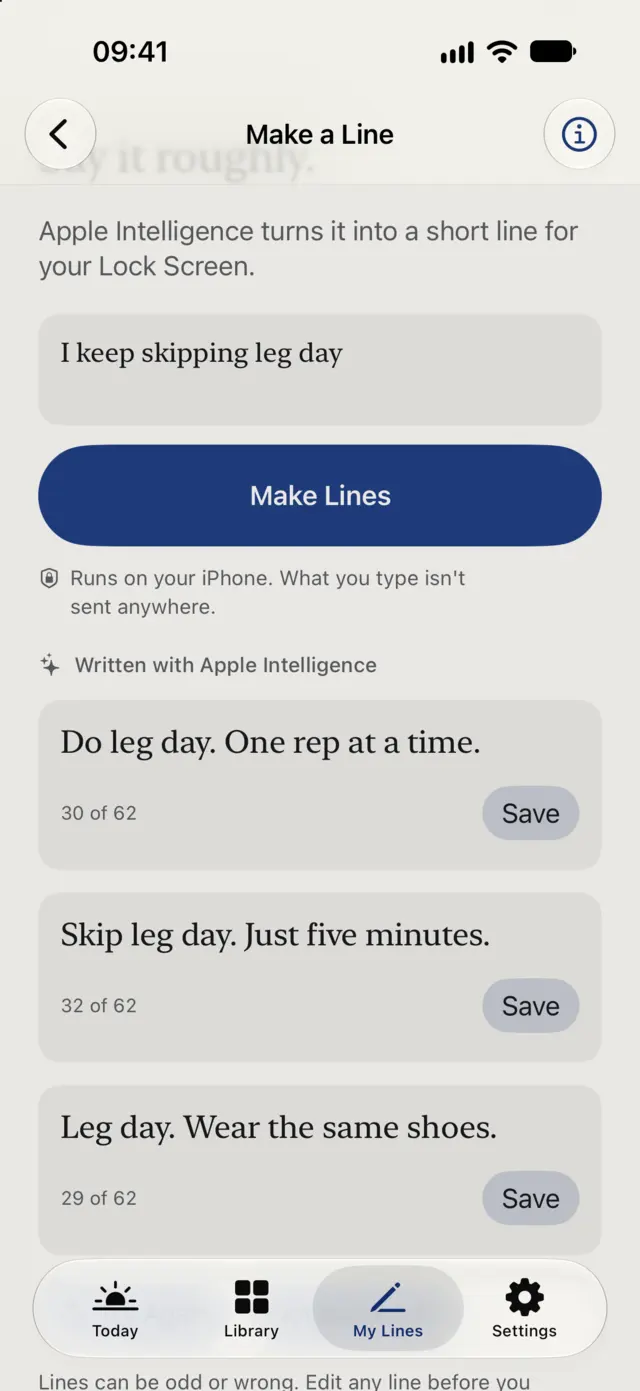
Type a rough thought and Make a Line shapes it into a few short lines, in your words. Find a line searches the library for what you describe, and What this means explains old language.
These run on your iPhone and need an Apple Intelligence device. The rest of Quill works without them.
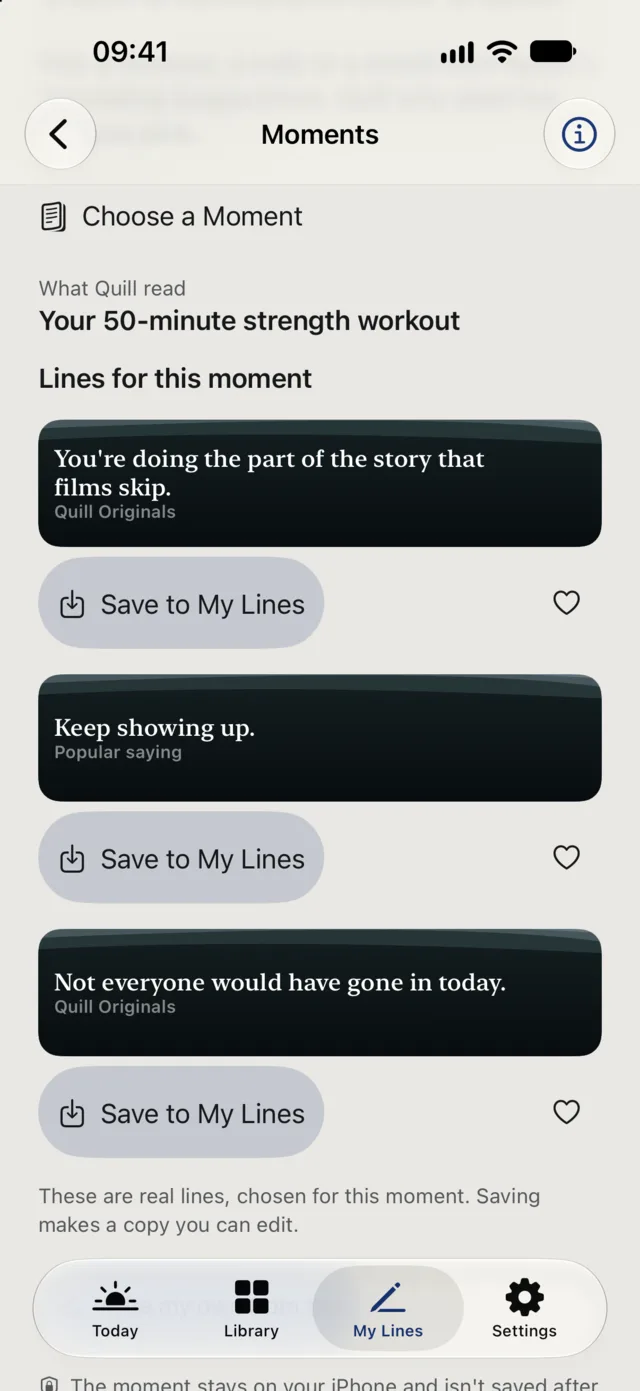
Choose a workout, a walk or a mood from Apple’s Journaling Suggestions, and Quill finds real lines for it. Quill only sees the moment you choose.
Moments is free. On Free, you choose from the free collections.
Twenty-three seconds of the app: choosing what you’re working through, a line on Today, Make a Line, a collection, and Moments.
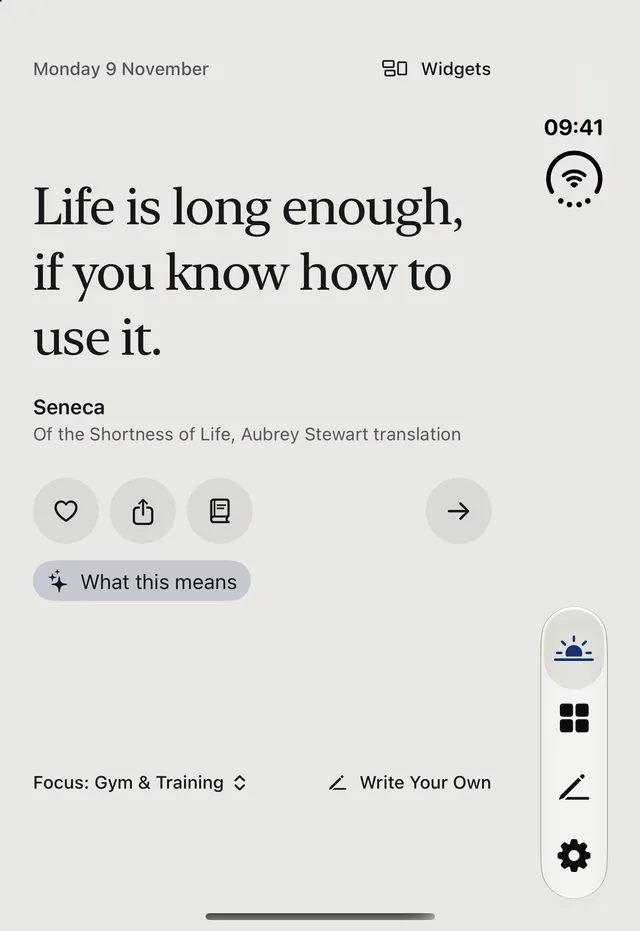
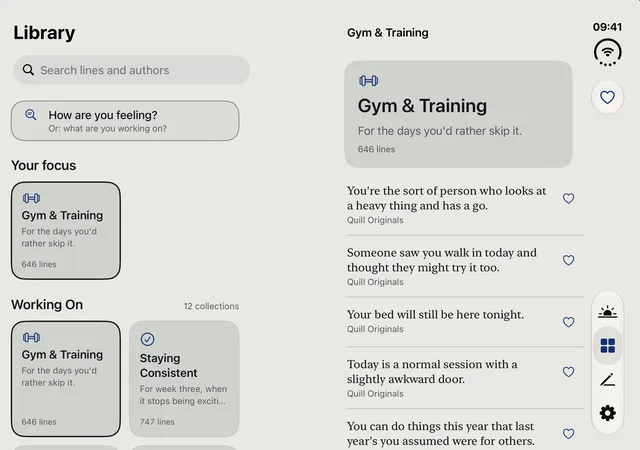
The line sits on the outer screen. Open it, and Quill spreads into two columns on the inner one.
Forever. Basic widgets and 3 of your own lines.
Unlimited own lines. Cancel in your Apple Account.
7-day free trial. Unlimited own lines.
Pay one time and keep it. Unlimited own lines.
Family Sharing included. Local prices may differ.
Quill has 10,000+ lines, and each one is labelled as one of three kinds. Quill Originals are written by Quill. Popular sayings are widely repeated lines with no name attached, and we don't invent one for them. Historic lines come from Seneca, Marcus Aurelius and others, checked word for word against public-domain books.
Not yet. It's coming soon, and the button on this page will change when it arrives.
Quill is free forever for basic widgets and 3 of your own lines. Pro makes your own lines unlimited. Pro is $2.99 a month, or $14.99 a year with a 7-day free trial, or $29.99 once. Family Sharing is included. Local prices may differ.
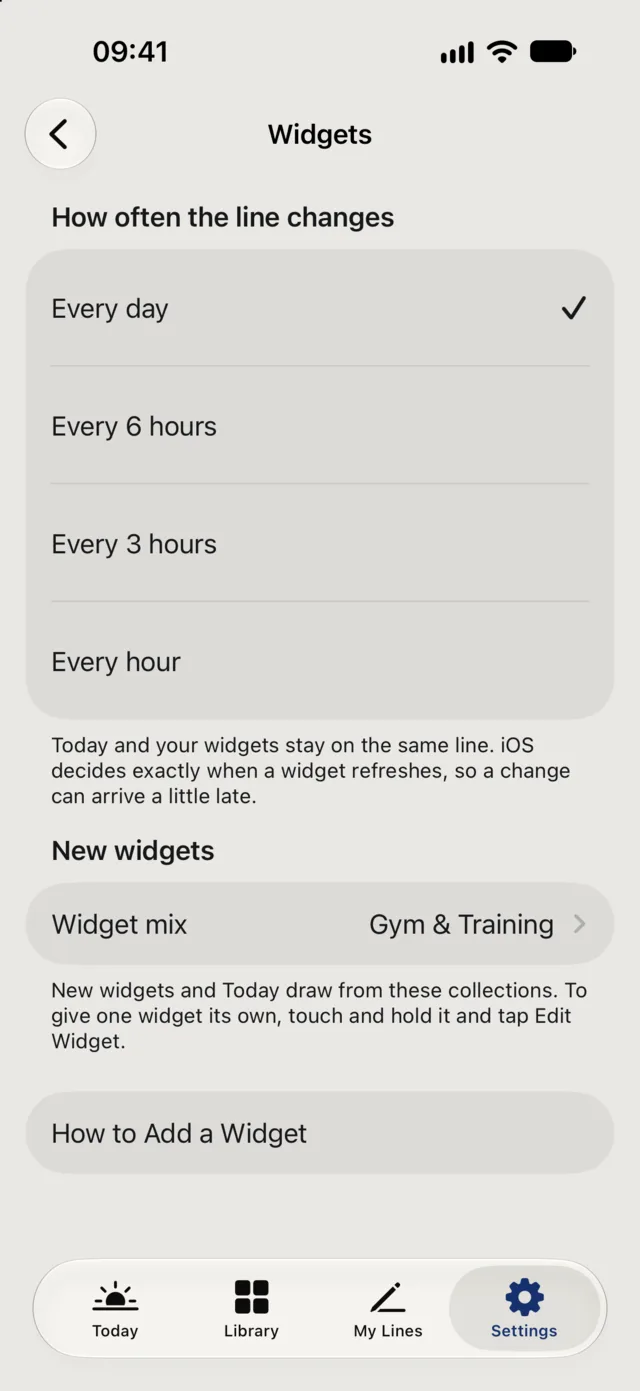
Free widgets change daily and follow one category. Pro widgets change up to hourly and can mix several categories. Quill has 25 life-moment collections and 17 wisdom collections, and you can choose the category and frequency for each widget.
Yes. My Lines is free for your first 3 lines and unlimited with Pro. It keeps what you write, and you can put your lines on your widgets. Keep them to about 62 characters and they'll fit on the Lock Screen.
Make it a line turns a rough thought into a short line. Find a line returns real lines from the library for what you describe. What this means explains old language in a historic line. All three run on your iPhone with Apple Foundation Models, so they need an Apple Intelligence device. The rest of Quill works without them.
Quill uses Firebase Analytics and Crashlytics, without an ad identifier, and it doesn't follow you across other apps. Line updates download from Apple's CloudKit public database. What you write, your moods, your Journal moments and your AI inputs stay on the phone and are never sent. With Journaling Suggestions, only the moment you choose is seen.
Yes. Quill supports the outer and inner screens, and its layouts adapt. On the inner screen the line keeps a readable width.
Yes. Pro includes Family Sharing, so people in your Family Sharing group can use it too.
The app is in 49 languages. You can also use Translate on a line.
It shows the passage a historic line came from, so you can see what was said around it and who was speaking. If you'd like longer reading, Slow Read reveals a passage across a day.